

Secure Vault
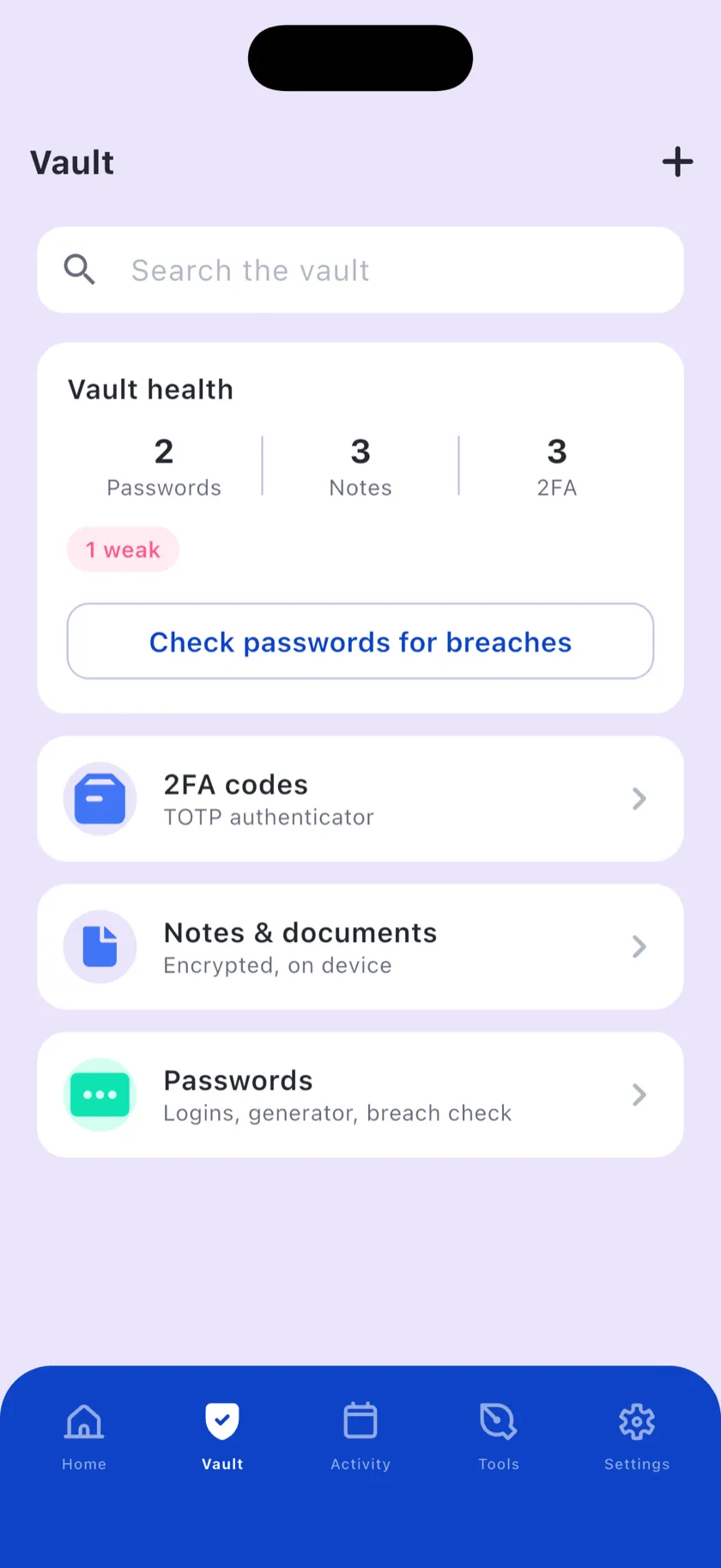
Encrypted storage for passwords, 2FA codes, notes, documents and cards. Face ID unlock, decoy mode, self-destructing notes and a breach-attempt log.
Protect passwords, spot scam links & texts, and clean your digital traces. Right on your iPhone — checks run on the device, and nothing extra is sent to the cloud.
No account required · no tracking · no ads
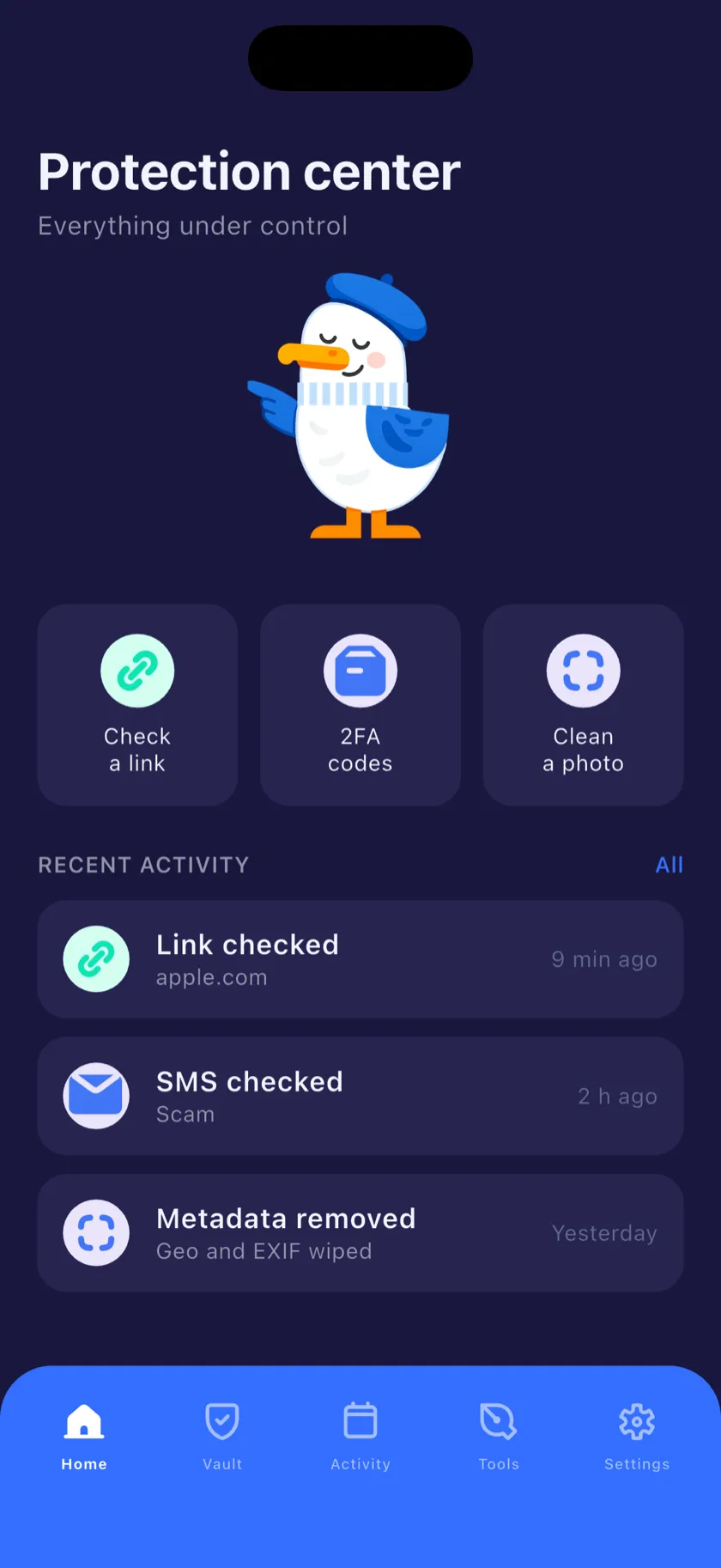

A vault for what matters, filters for what shouldn't reach you, and cleaners for the traces you leave behind — bundled into one iPhone app instead of nine subscriptions.
Encrypted storage for passwords, 2FA codes, notes, documents and cards. Face ID unlock, decoy mode, self-destructing notes and a breach-attempt log.

Generate strong passwords and check them against the Pwned Passwords database — the password itself never leaves your iPhone.
Time-based one-time codes (TOTP) for every account. Add them by scanning a QR code or pasting a secret key.

Phishing and quishing checks before you open anything. Heuristics run locally; the optional online check matches addresses against a threat database.

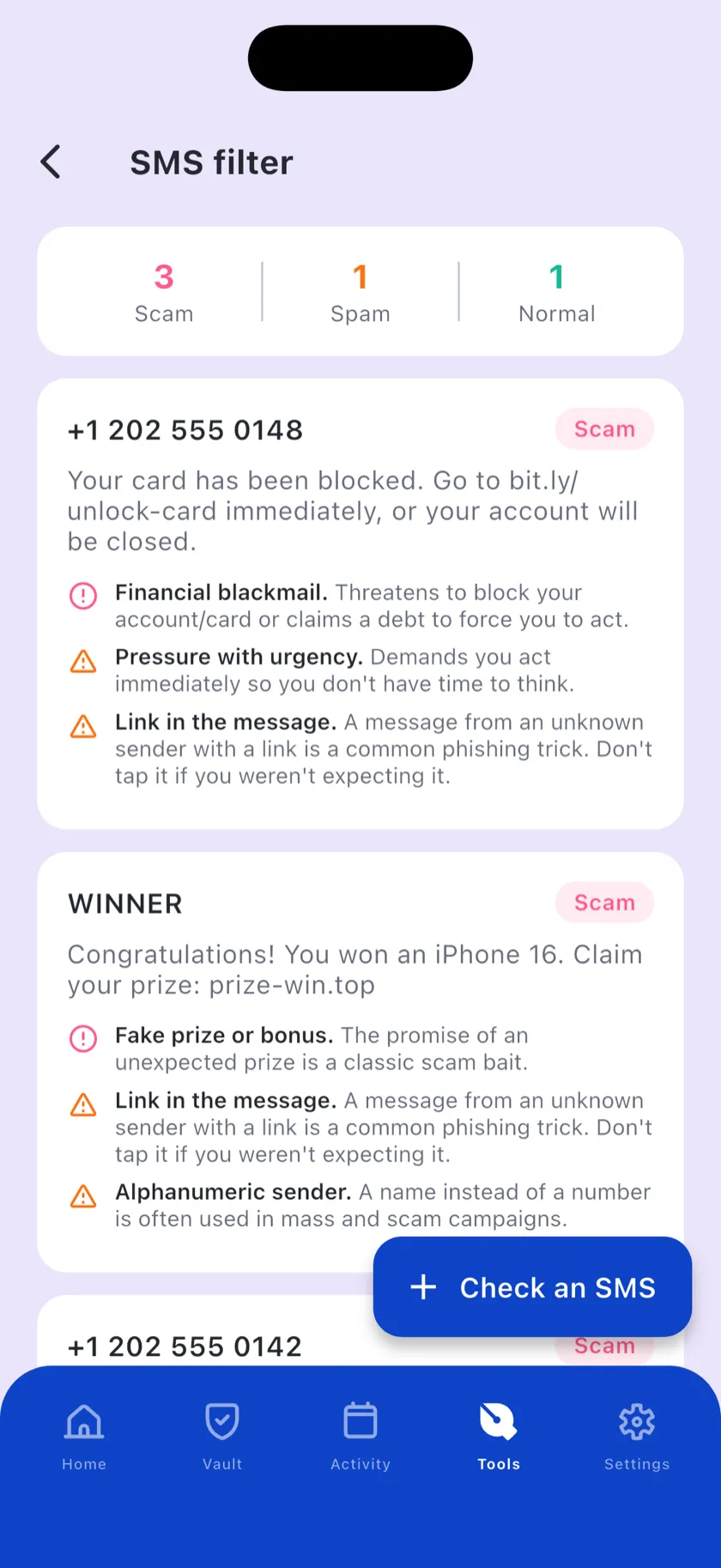
An offline filter for scam and spam texts from unknown numbers, plus a system iOS Message Filter extension that sorts them before you see them.

Find your email address in known public breaches and see exactly which services leaked it — so you know what to change first.

Wipe GPS coordinates and EXIF data from photos before you share them. The cleaned copy is created on your device.

Strip tracking parameters before sharing a link, and unshorten addresses to see the full redirect chain and where it really lands.

Every action in one timeline — with filters, security events, one-tap rollback of reversible actions and export when you need a record.
Passwords, one-time codes, notes, documents and cards live in one encrypted store. It auto-locks in the background, blurs itself in the app switcher, and can be closed with a shake.
Wing Secure registers as a system Message Filter in iOS, so texts from unknown numbers are screened as they arrive. The whole classifier runs offline — message text is never uploaded anywhere.
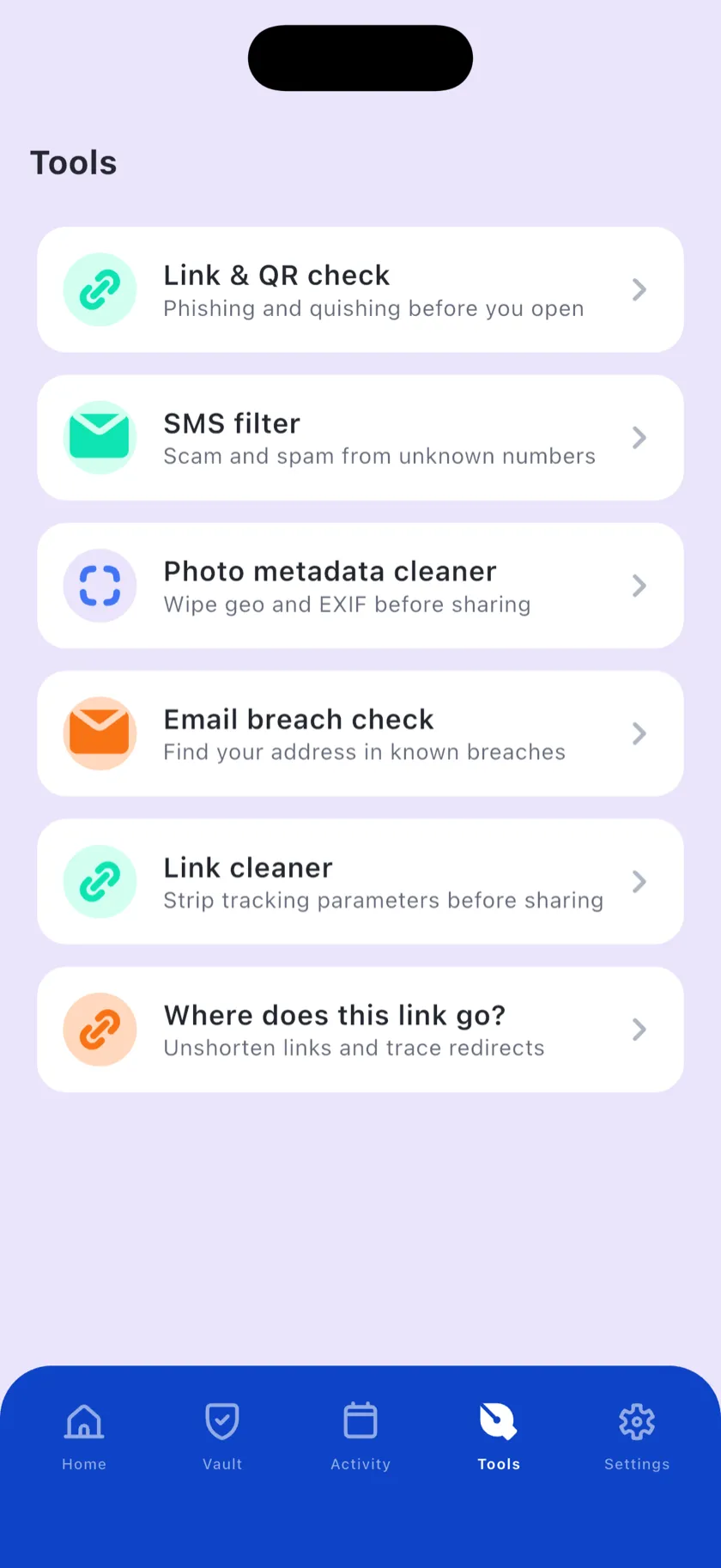
The tools tab is the everyday half of the app: paste a link before you open it, scrub a photo before you send it, or find out whether your address is already circulating in a breach dump.

No account, no onboarding questionnaire, no cloud sync to configure. Install it, set one code, and Wing Secure starts doing its job quietly.
Pick a code and turn on Face ID. Optionally add a decoy code that opens an empty vault if someone forces you to unlock it.
Enable Wing Secure as a Message Filter in iOS Settings. Texts from unknown numbers are screened offline from that moment on.
Check a link before you tap it, clean a photo before you send it, store a password as you create it. Everything lands in your activity log.
Wing Secure is built offline-first. The vault is encrypted on the device, the SMS classifier ships with the app, and metadata cleaning happens locally. Three features can optionally talk to the internet — and we name all three.
Link check — the address you're checking is sent to the threat-database provider. You can switch online checking off entirely in Settings.
Password check — only the first five characters of a hash are sent (k-anonymity). Your password never leaves the device.
Email breach check — the address you type is sent to the breach-database provider to look it up.


Vault contents are encrypted on the device and unlocked with Face ID or your vault code.
A second PIN opens a clean, empty vault — useful if you're ever asked to unlock the app.
Mark a note to disappear right after it's first opened, or automatically after 24 hours.
The vault locks when the app goes to the background and blurs its contents in the app switcher.
The whole app ships in two complete themes. Pin it to light, pin it to dark, or let it follow iOS system settings.



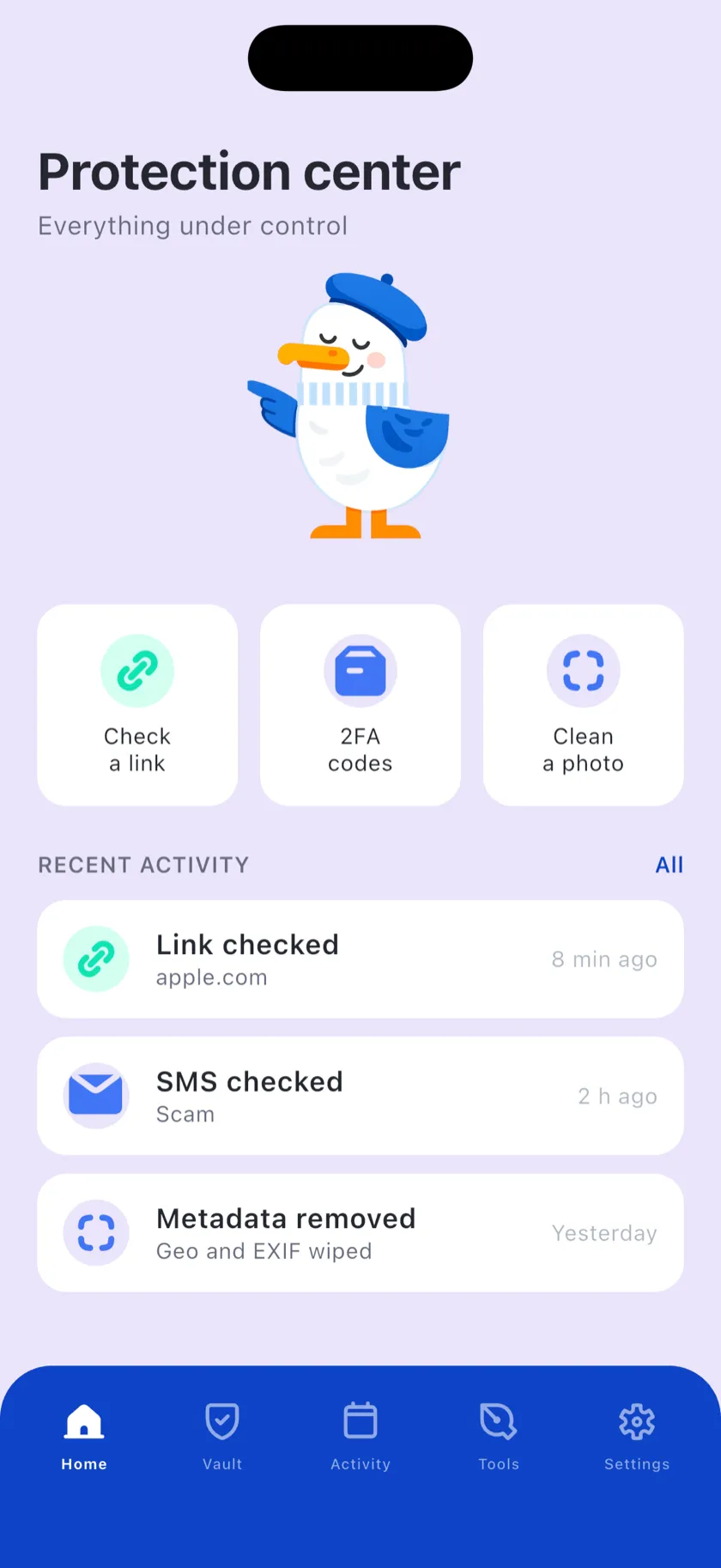
Swipe through the app — the vault, the tools, the filters and the log, in both themes.
Protection center
Vault
Tools
SMS filter
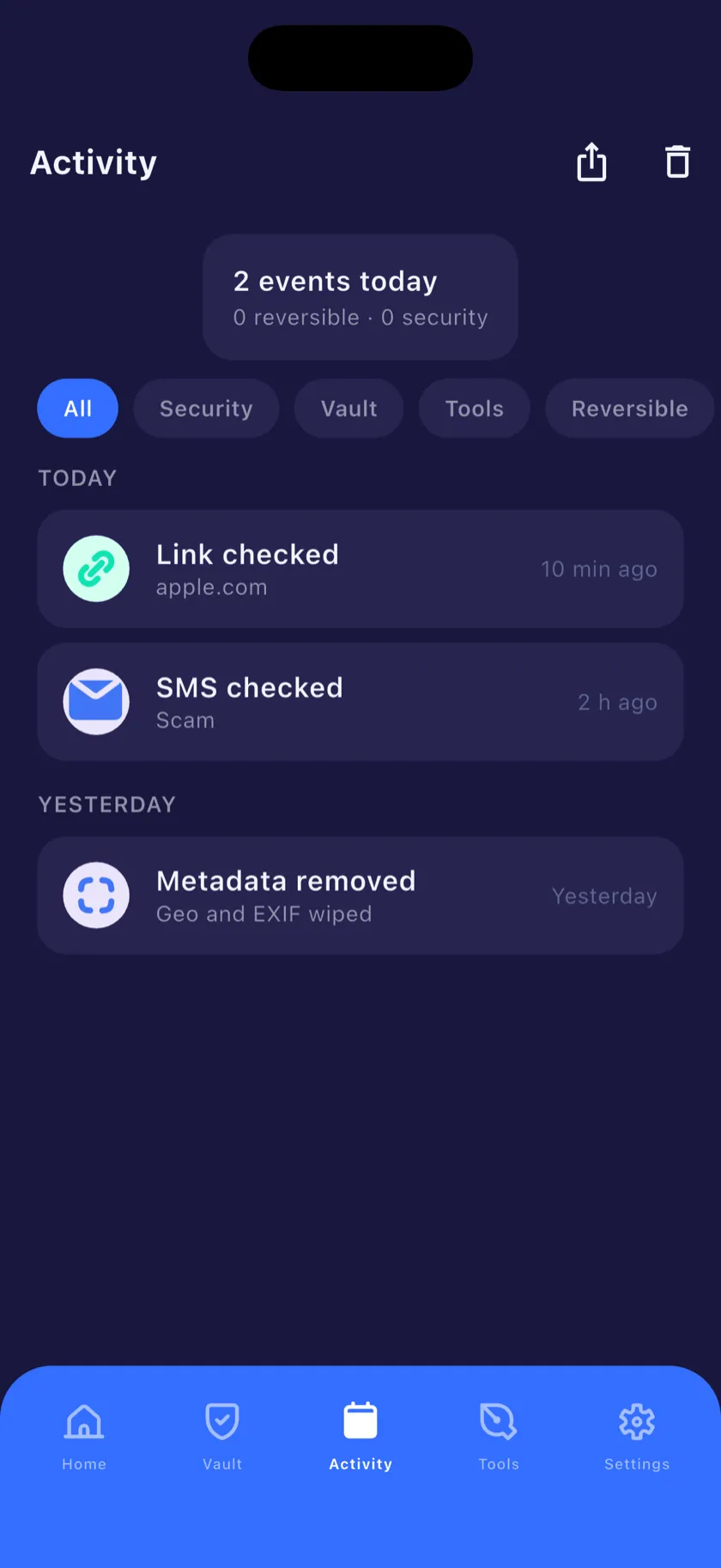
Activity log
Not by default. The vault, the SMS filter and the metadata cleaner work entirely on your device. Three features can reach the internet, and only when you use them: the online link check, the password breach check (which sends a partial hash, never the password) and the email breach check. Details are in the Privacy Policy.
Yes. The vault, 2FA codes, password generator, SMS scam filter, metadata cleaner and link cleaner all work offline. Only the online link check, email breach check and redirect tracer need a connection — everything else keeps running in airplane mode.
Wing Secure is built for iPhone on iOS 16 and later. The system SMS Message Filter extension is an iOS feature, so it's available on the same range of devices. There's no iPad or Android version yet.
iOS lets one app act as a Message Filter. Once you enable Wing Secure in Settings → Messages → Unknown & Spam, iOS passes texts from numbers that aren't in your contacts to the extension, which classifies them offline and tells iOS which folder to file them under. Apple's design means the extension has no network access, so message text can't be uploaded even in principle.
Wing Secure hasn't launched yet, so pricing isn't final. The plan is a free core app with all on-device tools included. If any paid tier appears later, it will be stated clearly on the App Store page before you download anything.
Nothing can be recovered — and that's deliberate. Because the vault is encrypted on your device and there's no cloud copy, no one, including us, can unlock it or reset the code for you. Store your code somewhere safe.
The app is in the final stages of preparation for review. The fastest way to hear about the release is to send a note through the support chat in the corner of this page.

Wing Secure is landing on the App Store soon. One app, nine tools, and nothing of yours in someone else's cloud.